Figma and Auto Layout
Import frames, groups, components, buttons, text, lists, SVG, gradients, effects, and Auto Layout with editable spacing and alignment.
All supported elements →TildEka moves responsive layouts into Zero Block with one copy — including text, images, SVG, effects, grids and interactions.
15 imports free · no time limit
TildEka removes repetitive build work while keeping every pixel under your control.
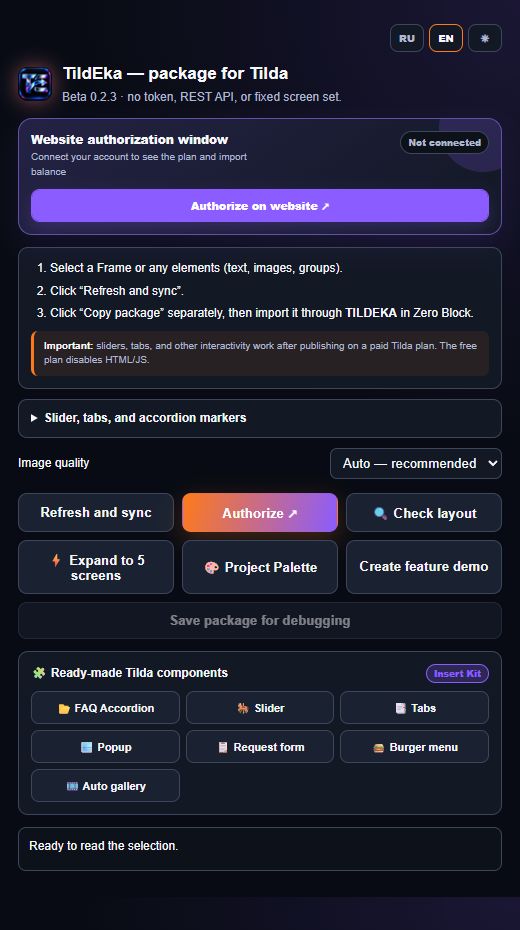
Select the desired layers or responsive screens in Figma/Pixso, copy the package, and click the TILDEKA button in Zero Block.
Figma/Pixso plugin and Chromium extension — sign in with a single account.
Buttons, cards, text, vectors, Auto Layout or responsive breakpoints.
Inside Zero Block editor, click TILDEKA and choose "Import package from clipboard".
Transfer not just full screens, but any individual elements: buttons, typography, vectors, Auto Layout, and responsive interactive widgets across 1200..320 px.
Concrete checks from the current TildEka technical base, not vague promises.
The plugin collects every unique image in the selected layout. A 35-file control scenario passed upload and finalization.
TildEka covers the complete route from source design to editable block: structure, content, media, responsiveness, and interactions.
Import frames, groups, components, buttons, text, lists, SVG, gradients, effects, and Auto Layout with editable spacing and alignment.
All supported elements →The Pixso plugin builds the same TildEka package for WebP images, vectors, styles, and geometry.
Import from Pixso →Transfer 1200, 960, 640, 480, and 320 px breakpoints plus sliders, tabs, and accordions while keeping content editable.
Prepare responsive layouts →Short answers before your first import.
No. TildEka runs locally and does not use the Figma API, tokens or a paid plan.
Text, mixed styles, lists, shapes, effects, SVG, Auto Layout, groups, grids, images and interaction markers.
Beta 0.2.3 has three modes: automatic WebP upload, native image blocks with exact dimensions for manual upload and skip raster assets.
Yes. Pixso uses the same exporter, its own manifest and the shared TildEka package.
Check layer name uniqueness, connected fonts in Tilda, and select the right import mode (smart sync, append, or replace). Full guide is in the documentation.
Install the Figma plugin and browser extension, then build your first Zero Block.